01
One mouse, one keyboard, every computer
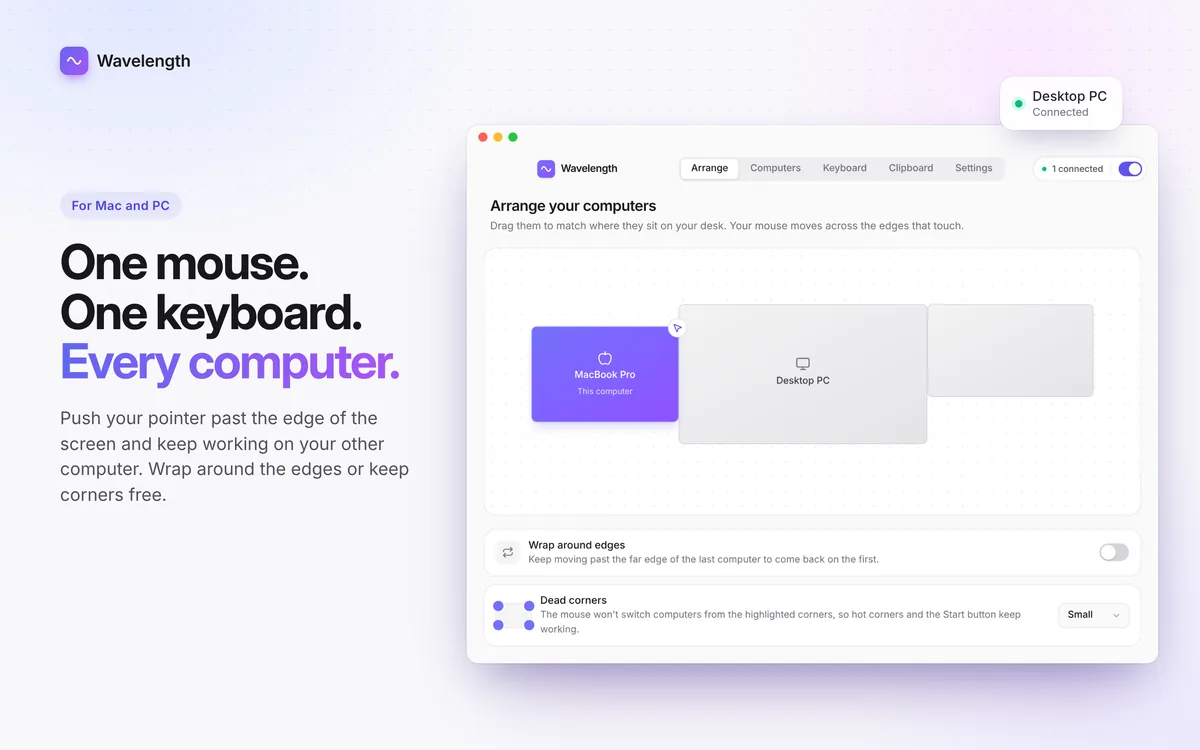
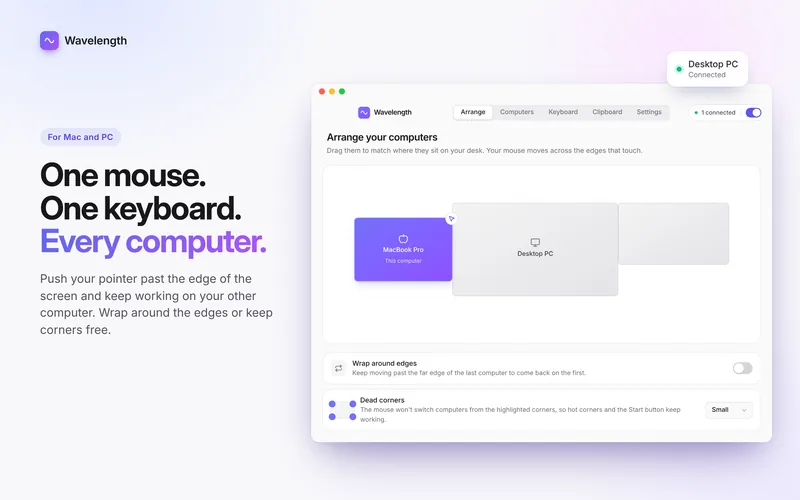
Arrange your computers to match your desk, then push the pointer across the edge.
NewProductivity · macOS & Windows

One mouse and keyboard for your Mac and PC.
Push your pointer past the edge of the screen and it lands on your other computer, with your keyboard and clipboard coming along. No cables, no extra hardware.
Free trial · then a monthly or yearly subscription
About Wavelength
Wavelength turns your Mac and your PC into one desk. Push your pointer past the edge of the screen and it lands on your other computer, and your typing follows it. Copy text, images, files or whole folders on one computer and paste them on the other.
Open Wavelength on each computer on the same network and connect them once with a short code. They find each other again every time, even after sleep or a network change. Everything stays between your own computers: nothing goes through a server, and it is all encrypted on the way.
See it in action
01
Arrange your computers to match your desk, then push the pointer across the edge.
02
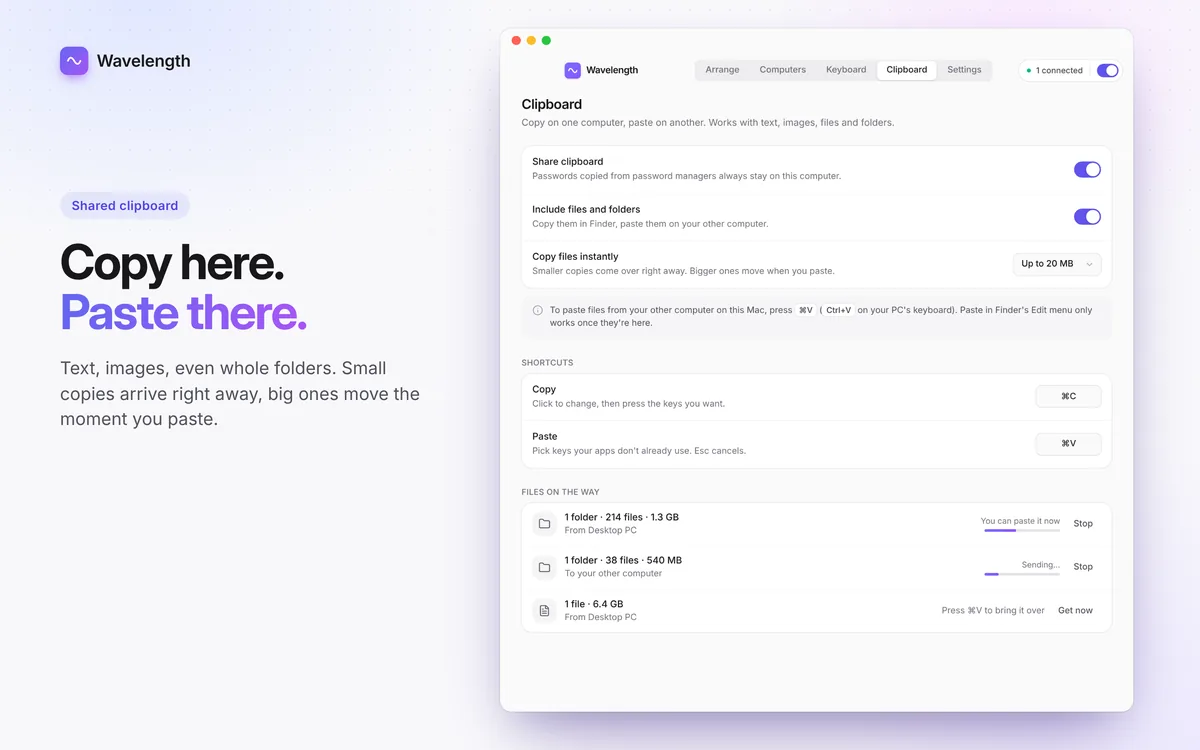
Share the clipboard, including files and folders, and watch transfers on their way.
03
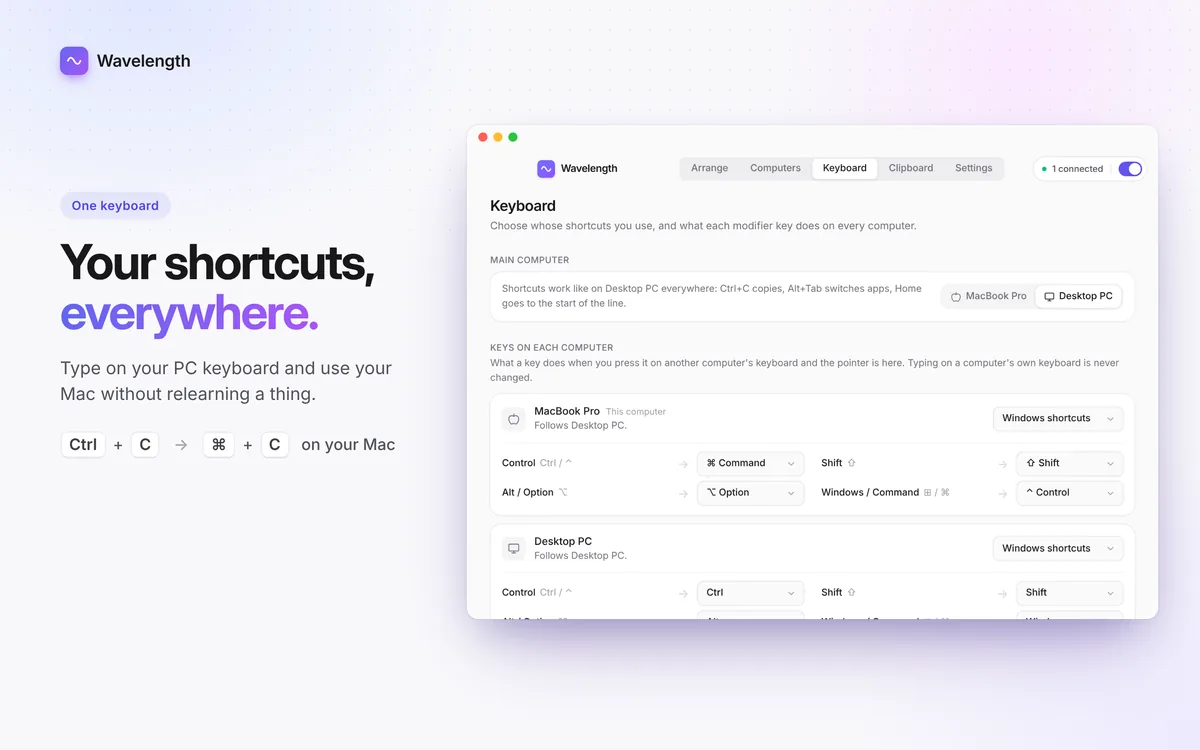
Choose what Control, Option, Command, Alt and Windows do on each computer.
04
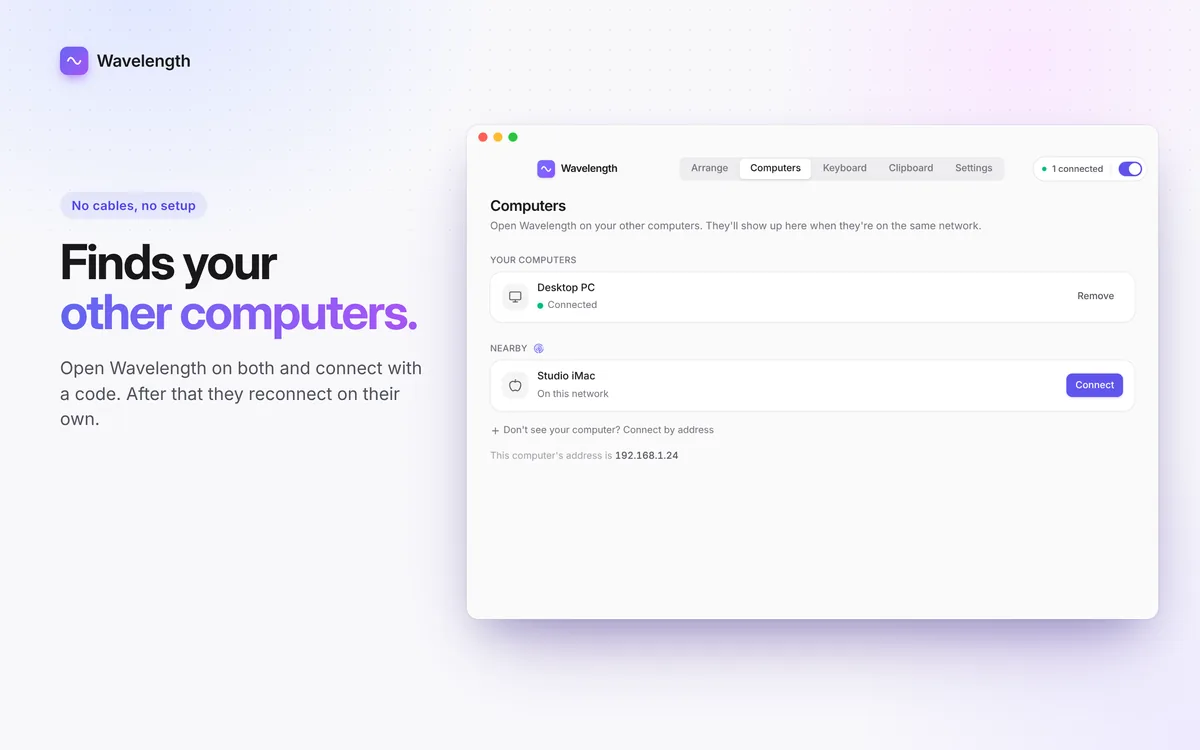
Computers on the same network show up on their own. Connect once with a code.
05
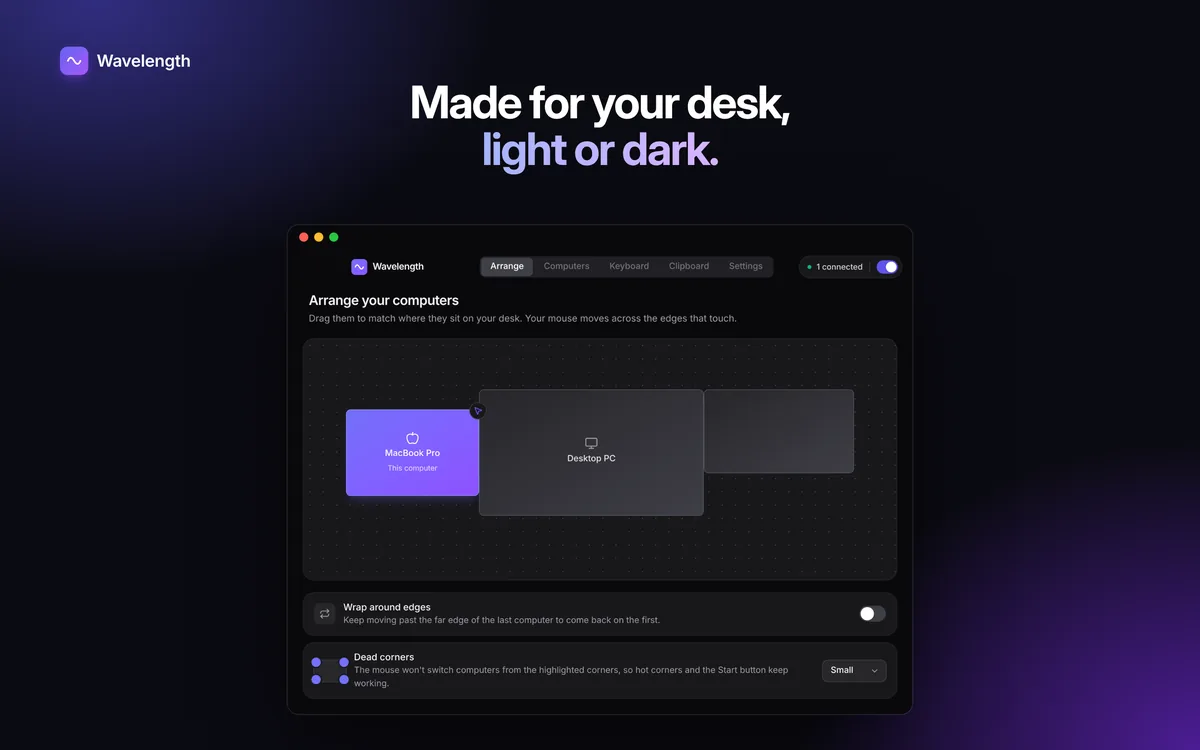
The Arrange tab in dark mode.
Features
Arrange your computers to match your desk. Wrap around the edges, or keep corners free so hot corners and Start still work.
Keep the shortcuts you know: Ctrl+C on a PC keyboard becomes ⌘C on your Mac, and the other way round.
Copy text, images, files and whole folders. Small copies arrive right away, big ones move the moment you paste.
Passwords copied from password managers always stay on the computer they came from.
Computers reconnect on their own after sleep or a network change, and one click reconnects everything.
Works only between your own computers on your local network, encrypted, with nothing going through a server.
FAQ
No. Wavelength works over the network your computers are already on. Install it on each computer, connect them once with a code, and they find each other from then on.
Yes. That is what it is made for, and your shortcuts follow you: Ctrl+C on a PC keyboard becomes ⌘C on your Mac, and the other way round.
No. Wavelength works only between your own computers on your local network. Nothing goes through a server, and your keystrokes, clipboard and files are encrypted on the way.
No. Keys and pointer movements are sent only to your own paired computer, only while the pointer is on it, and never stored.

One mouse and keyboard for your Mac and PC.
Free trial · then a monthly or yearly subscription
 New
 New